| EDA Roles |
EDA roles with the ability to conduct a Contract Closeout Search in EDA
- Acquisition Sensitive Reporting
- Advanced Reporting
- CDR POC
- Contract Deficiency Report (Legacy) – ACO
- Contract Deficiency Report (Legacy) – PCO
- Contract Deficiency Report (Legacy) – Reviewer
- Contracts
- EDA Executive Reporting User
- FedMall User
- Upload Attachments/Admin Docs
- Upload/Inactivate Contracts
|
| Search Criteria |
The user will navigate to the Contract Closeout search page and enter at least one of the following criteria to retrieve a list of Closed Contracts.
- Contract Number
- Delivery Order Number
- ULO Amount
- Issue DoDAAC
- Admin DoDAAC
- Closed Date Range
- Load Date Range
|
| Search Modifiers |
Search Modifiers may be used to limit results returned for a search criterion.
- Starts With: The data entered in the field will return results that begin with the entered characters.
- Is Null: The data search will return only results that have no value for the search criterion.
- Not Null: The data search will return only results with a value for the search criterion.
- Greater Than or Equal To: The data entered in the field will return results that are greater than or equal to the entered characters.
- Greater Than: The data entered in the field will return results that are greater than the entered characters.
- Equal To: The data entered in the field will return results that are equal to the entered characters.
- Less Than or Equal To: The data entered in the field will return results that are less than or equal to the entered characters.
- Less Than: The data entered in the field will return results that are less than the entered characters.
|
| Sample Search Results |
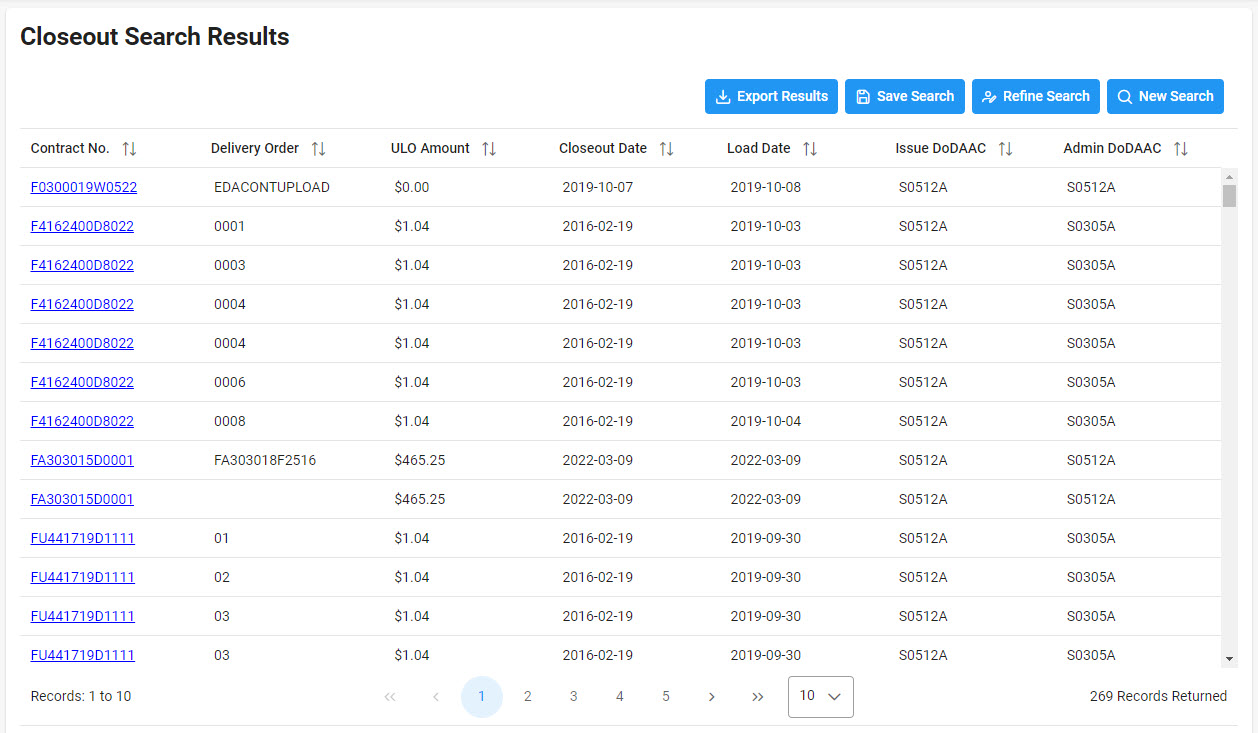
Once the search criteria are entered, selecting the Search button will return a list of Contracts with the requested criteria. Closed Contracts.
|
| Exporting Sample |
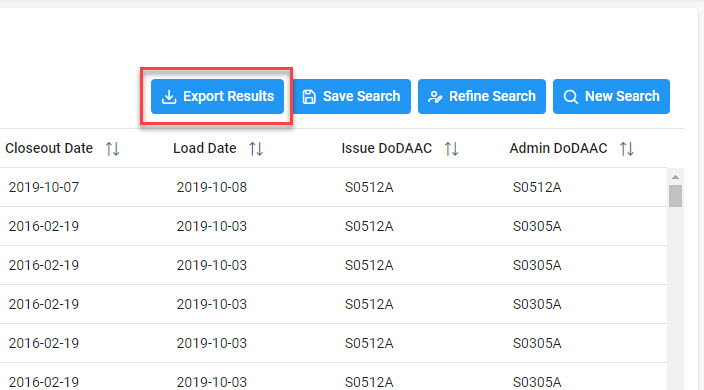
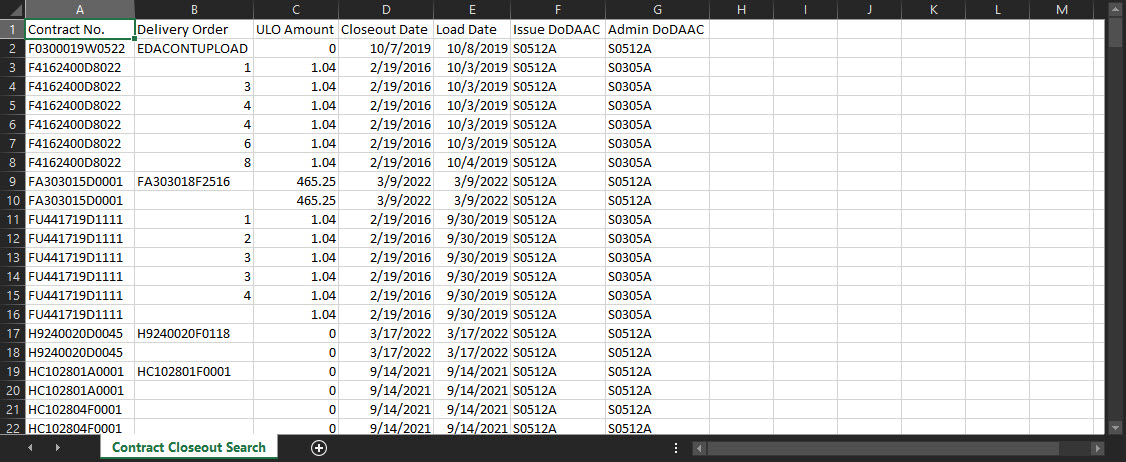
Once the search results are returned, the Export Results button will allow the user to export search results in CSV format for import to a spreadsheet.
Sample Export:
|