Electronic Data Access (EDA) - Delete IUID Approver Report (DIUIDAR)
 

Delete IUID Approver Report (DIUIDAR)

Training Document


The Delete IUID Report provides a Service level wide view of a User’s history of Delete IUID actions as an Initiator/Approver, Deletion Request Number, Number of IUIDs, Date, Justification, and Status.


EDA Roles

Roles with access to the Delete IUID Approver Report (DIUIDAR):

  • Acquisition Sensitive Reporting
  • Advanced Reporting
  • EDA Executive Reporting User
Where to Run the Report

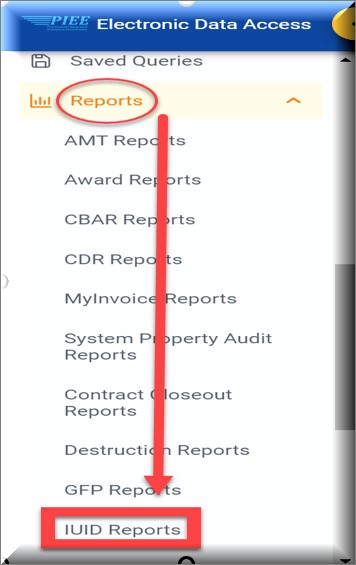
Expand the Reports menu under Analytics in EDA and select the IUID Reports option.

The image provides a preview of the IUID Reports Menu.

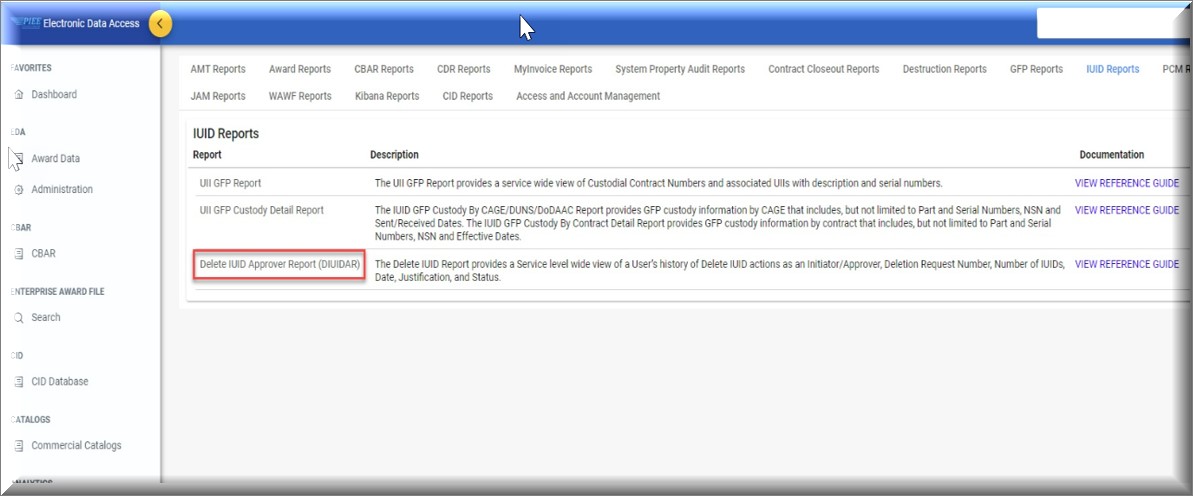
In the IUID Reports section select the Delete IUID Approver Report (DIUIDAR).

The image provides a preview of the Delete IUID Approver Report (DIUIDAR) Link.

Search Criteria

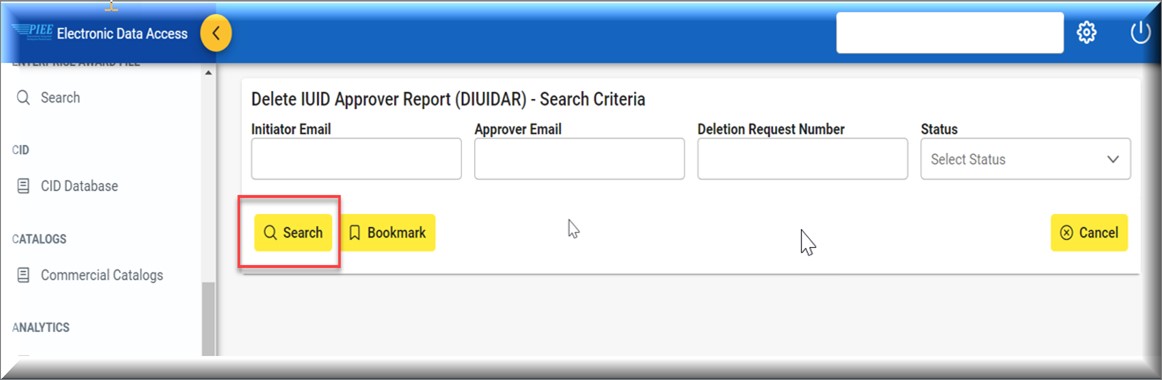
The Delete IUID Approver Report (DIUIDAR) page displays. Enter search criteria to retrieve desired data.

Delete IUID Approver Report (DIUIDAR) Search Criteria:

  • Initiator Email
  • Approver Email
  • Deletion Request Number
  • Status
    • Open
    • Canceled
    • Rejected
    • Complete

The image provides a view of the Delete IUID Approver Report Search Criteria page.

Buttons:

  • Search
  • Bookmark
  • Cancel

Click the Search button after entering the search criteria. The search results display on the following page.

Search Results

The Delete IUID Approver Report (DIUIDAR) Results table displays the search results.

Delete IUID Approver Report (DIUIDAR) Results Columns:

  • Delete IUID Request Number
  • Status
  • Initiator (Email)
  • Group (DoDAAC)
  • Initiator Date
  • Approver Email
  • Approver Date
  • Number of UIIs

The image provides a preview of the Delete IUID Approver Report Results.

Buttons:

  • Export Results
  • Save Search
  • Refine Search
  • New Search

NOTE: The columns are sortable.

Exporting Search Results

Click the Export Results button on the search results page to export as CSV.

The image provides a preview of the Delete IUID Approver Report Results Export button.

The system downloads the file to the local machine based on browser settings.

Exported Report Columns:

  • Delete IUID Request Number
  • Status
  • Initiator (Email)
  • Group (DoDAAC)
  • Initiator Date
  • Approver Email
  • Approver Date
  • Number of UIIs

Sample Export:

The image provides a preview of the Delete IUID Approver Report exported CSV file.