| Records Destruction Report |
The Records Destruction Report displays target and actual destruction and retention dates for records within or past their retention period within PIEE.
To access the report, navigate to the Analytics section on the EDA Dashboard and select Reports.

Then select Destruction Reports from the Reports dropdown.
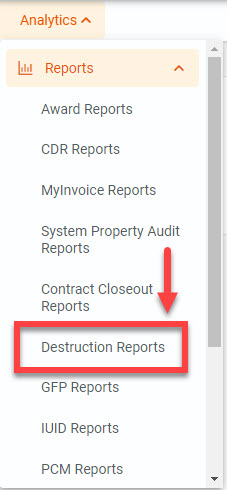
On the Destruction Reports page, select the Records Destruction Report.

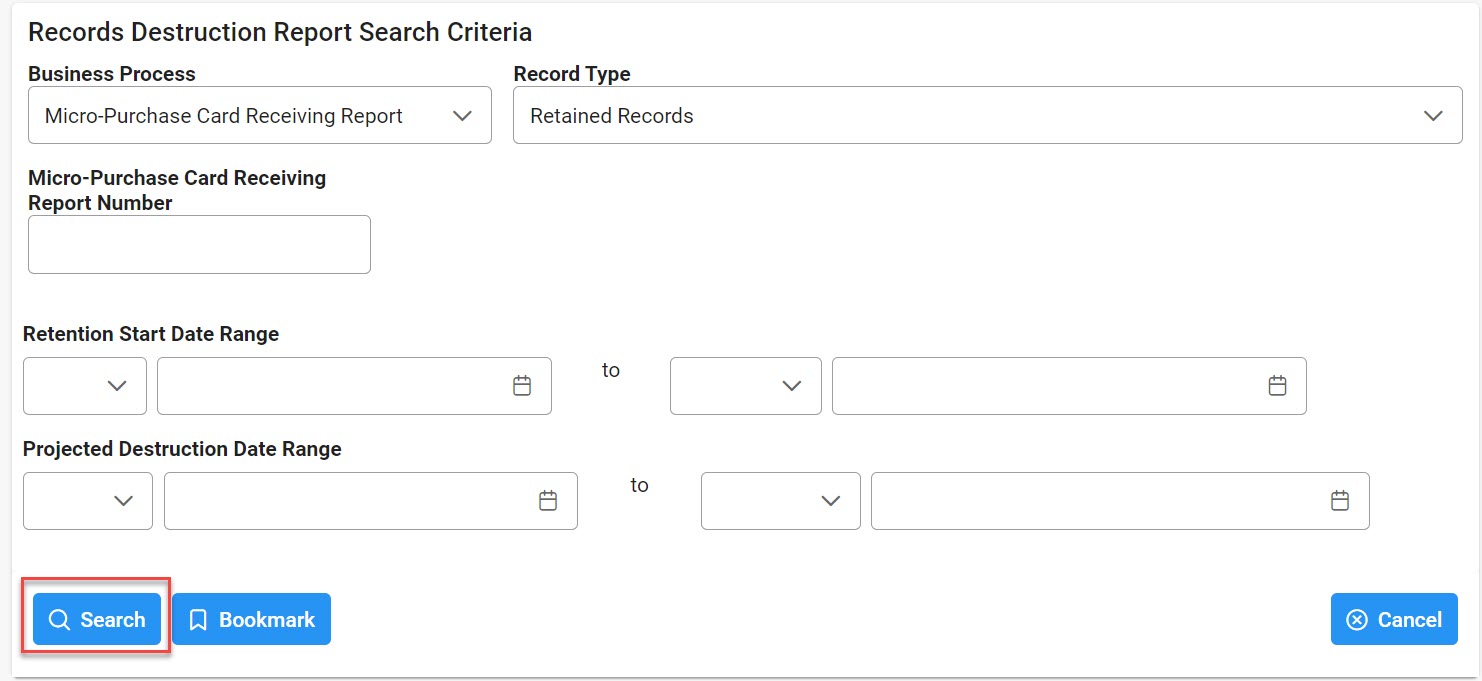
On the Records Destruction Report page, enter the necessary Search Criteria in order to populate the desired results.
Search Criteria:
- Business Process
- Award
- Micro-Purchase Card Receiving Report
- Miscellaneous Payments
- Purchase Request
- Government-to-Government Property Transfer
- Transportation
- Record Type
- Destroyed Records
- Retained Records
Award Search Criteria:
- Award Number/SF44 Order Number
- Solication Number
- Delivery Order Number
- CAGE Code

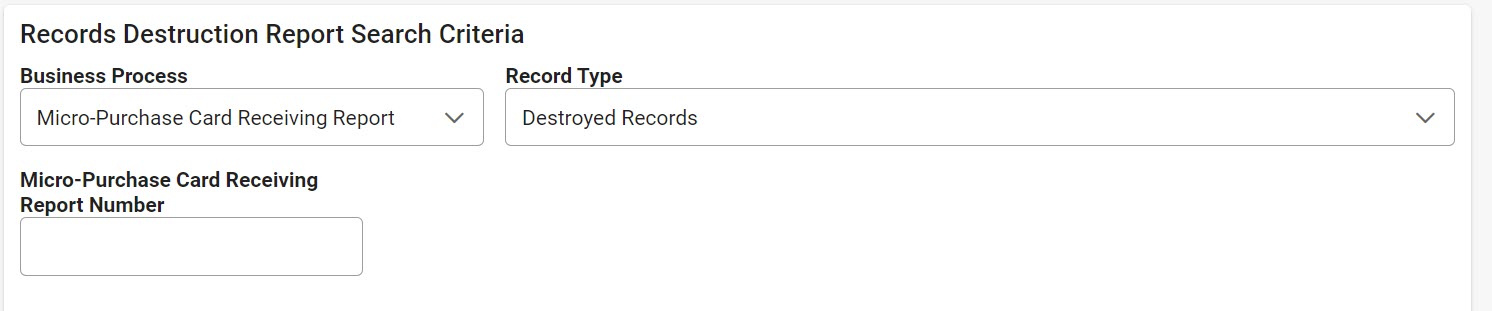
Micro-Purchase Card Receiving Report Search Criteria:
- Micro-Purchase Card Receiving Report Number
Miscellaneous Payments Search Criteria:
- Misc. Pay/Telecom Control Number
- CAGE Code

Purchase Request Search Criteria:

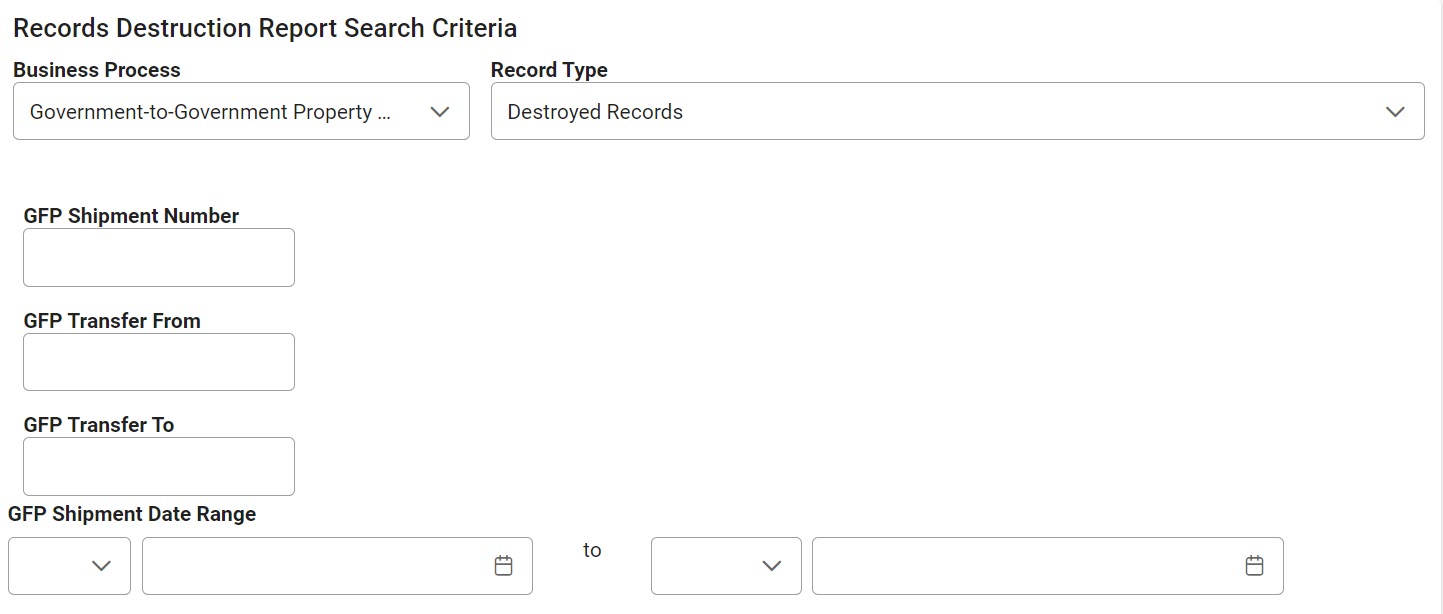
Government-to-Government Property Transfer Search Criteria:
- GFP Shipment Number
- GFP Transfer From
- GFP Transfer To
- GFP Shipment Date Range (with parameters: empty, >, >=, =, <, <=)
Transportation Search Criteria:
- GBL/GTR Number
- GBL Mod Number

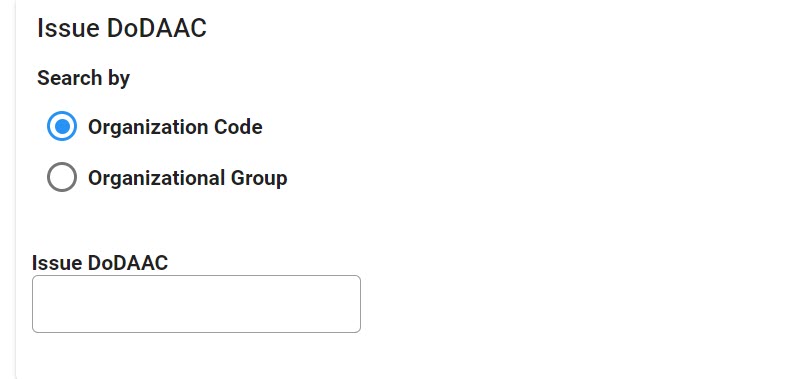
Issue DoDAAC
(Section displays when the following is selected for Business Process: Award or Miscellaneous Payments)
Search by:
- Organization Code
- Organization Group
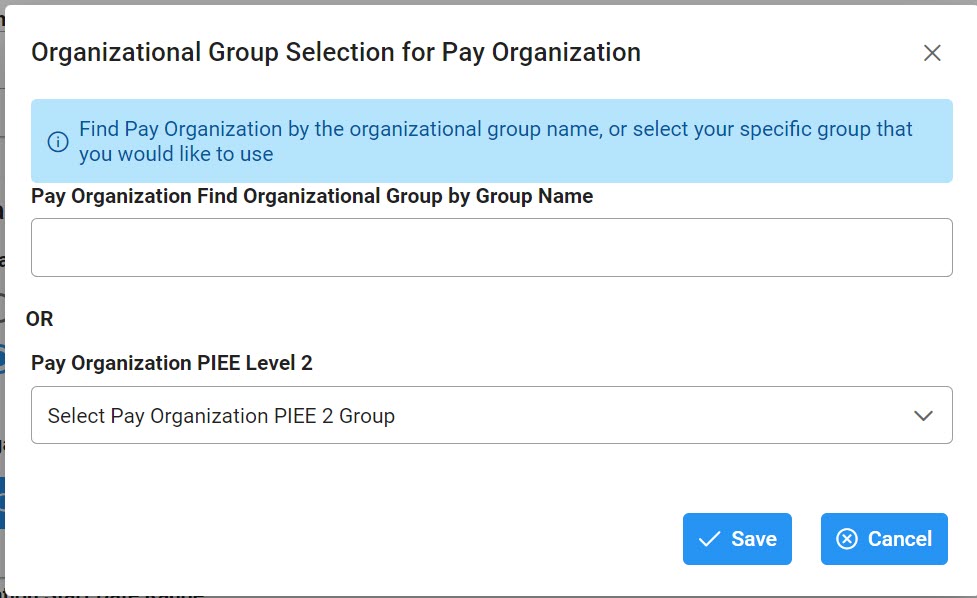
- Find Group (Selecting this button populates an Organization Group Select for Issue Organization pop-up)
- Include Sub-Groups?
Organization Group Select for Issue Organization
- Admin Organization Find Organizational Group by Group Name
- Admin Organization PIEE Level 2
- Buttons
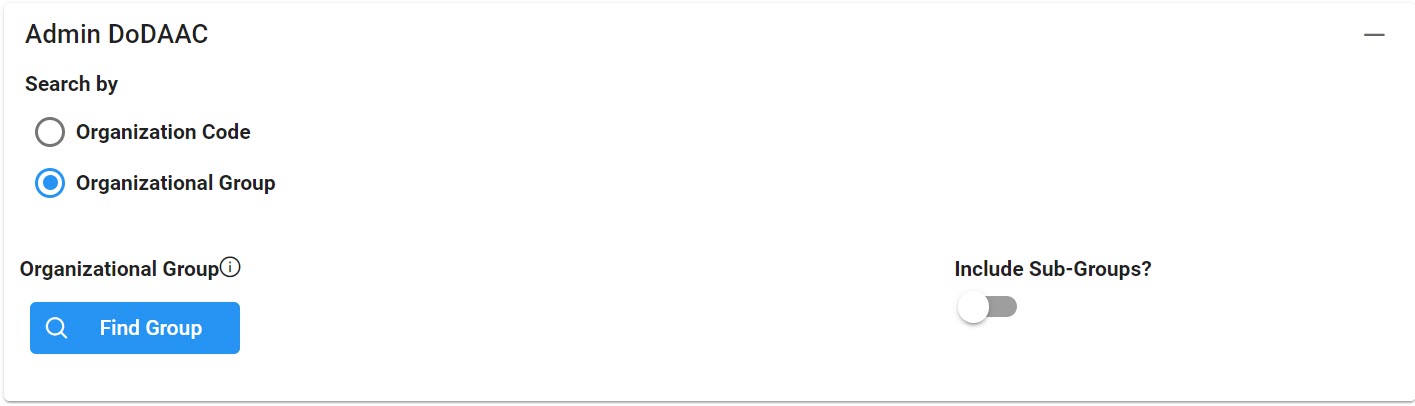
Admin DoDAAC
(Section displays when the following is selected for Business Process: Award or Miscellaneous Payments)
Search by:
- Organization Code
- Organization Group
- Find Group (Selecting this button populates an Organization Group Select for Issue Organization pop-up)
- Include Sub-Groups?
Organization Group Select for Issue Organization
- Admin Organization Find Organizational Group by Group Name
- Admin Organization PIEE Level 2
- Buttons
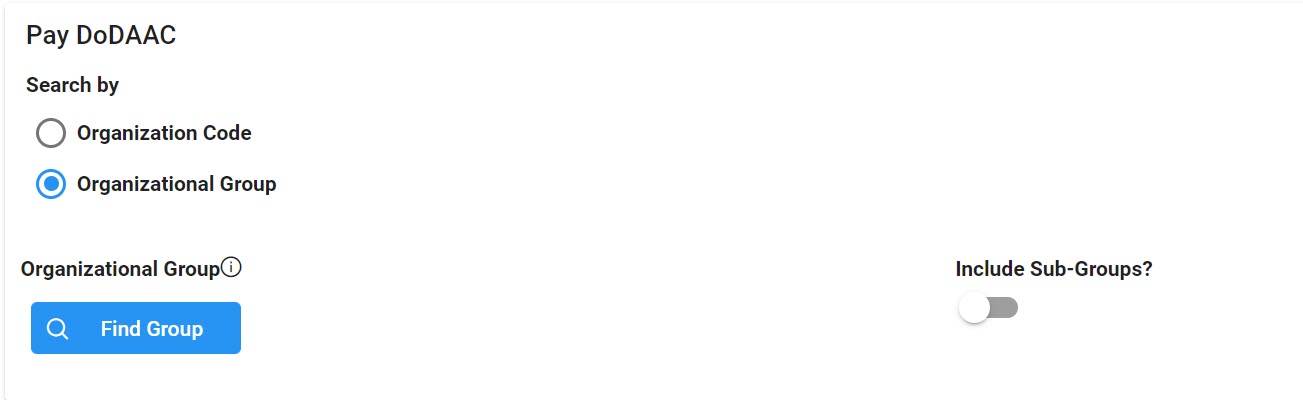
Pay DoDAAC
(Section displays when the following is selected for Business Process: Award or Miscellaneous Payments)
Search by:
- Organization Code
- Organization Group
- Find Group (Selecting this button populates an Organization Group Select for Issue Organization pop-up)
- Include Sub-Groups?
Organization Group Select for Issue Organization
- Admin Organization Find Organizational Group by Group Name
- Admin Organization PIEE Level 2
- Buttons
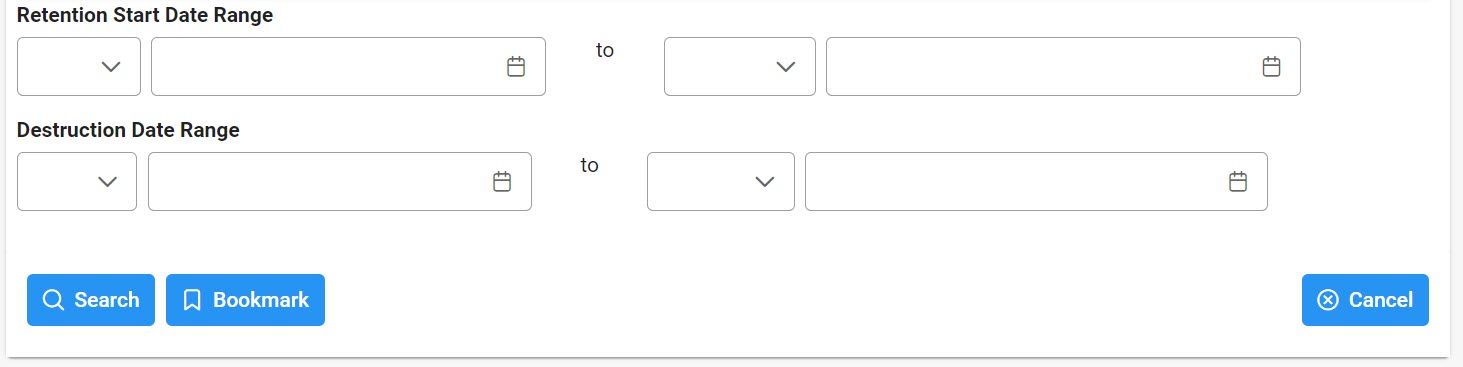
- Retention Start Date Range (with parameters: empty, >, >=, =, <, <=)
-
(Field displays when the following is selected in the Record Type Field: Destroyed Records)
- Destruction Date Range (with parameters: empty, >, >=, =, <, <=)
-
(Field displays when the following is selected in the Record Type Field: Retained Records)
- Projected Destruction Date Range (with parameters: empty, >, >=, =, <, <=)
Buttons:
After entering the remaining Search Criteria, select the Search button to populate the search results or select Cancel.
|
| Export Search Results |
When the search results are returned, the Export button allows users to export search results in CSV or Excel format. It also allows the user to set up a scheduled download. Selecting the Schedule option takes users to the Task Schedule section of their EDA dashboard to set up the download process.
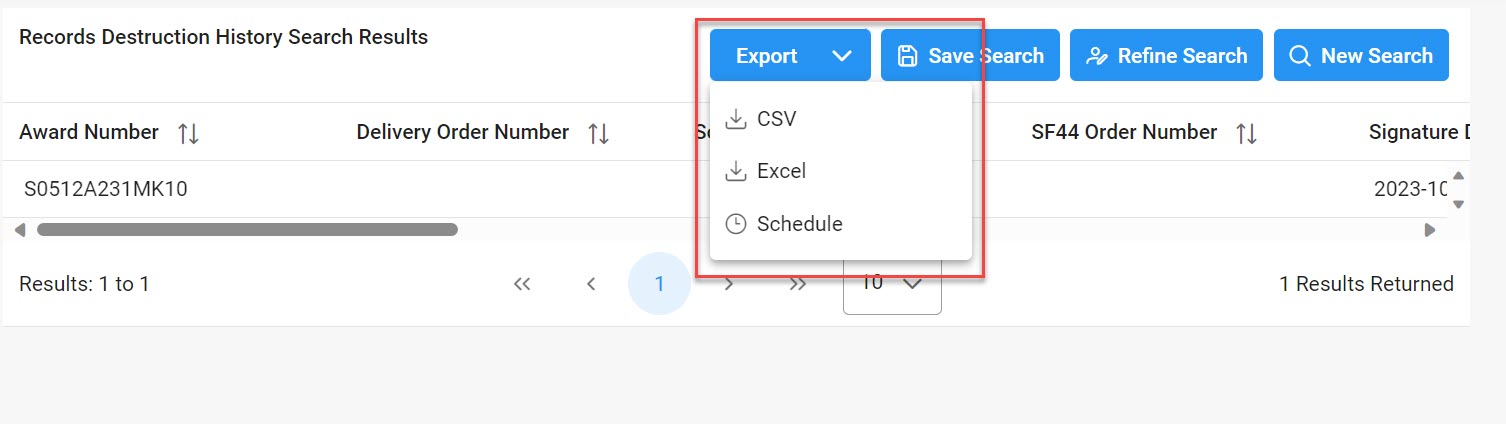
Select the Excel or CSV format and a download request success message appears.

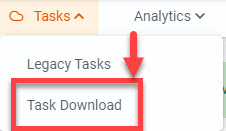
Access the Task Download section via the Task Download link within the Tasks dropdown in the EDA Dashboard.
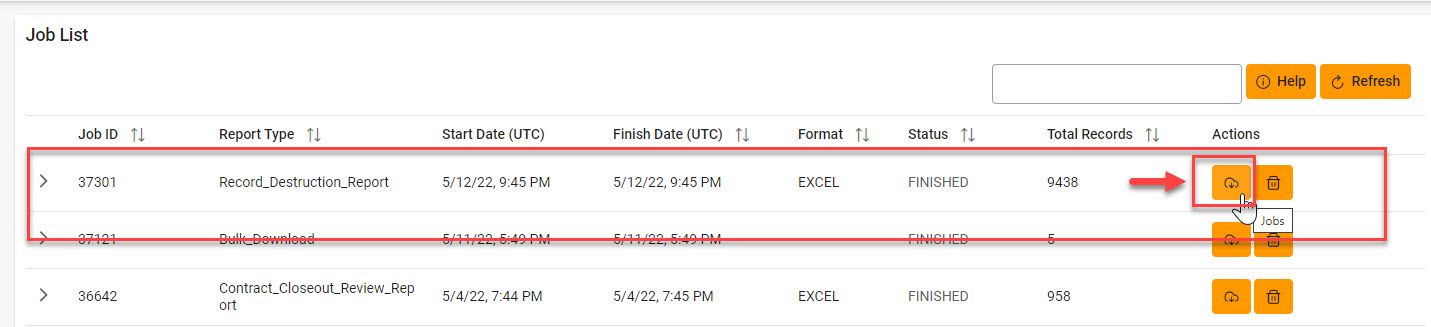
Find the requested job from the Job List and select the Jobs button.
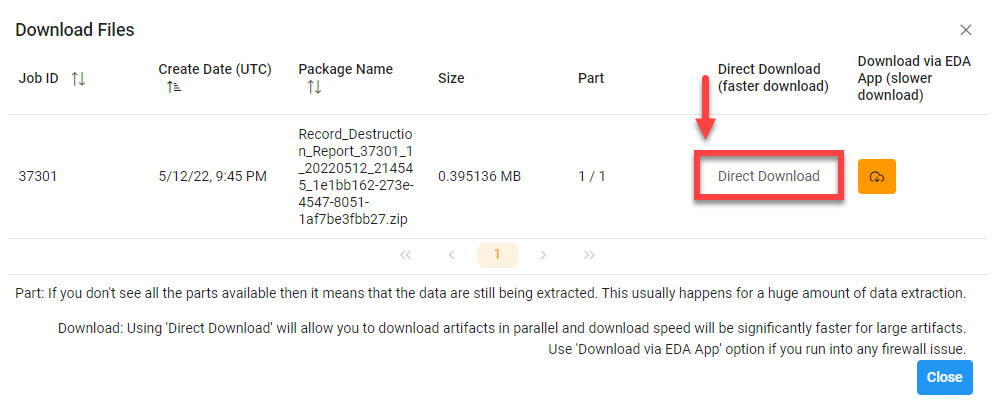
Select the Direct Download link from the Download Files modal window.
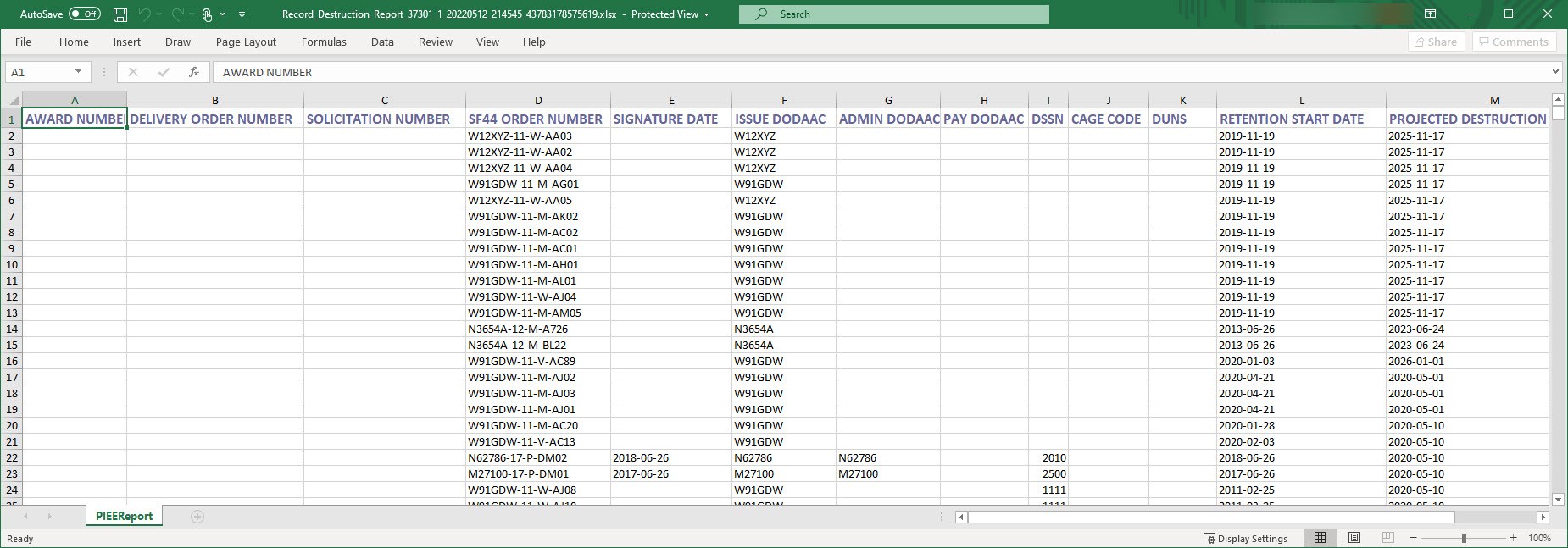
The search results are then locally downloaded and available in their CSV or Excel format.
|