| EDA Roles |
Roles with access to the GPC PIEE Nomination Status Report in EDA
- Acquisition Sensitive Reporting
- Advanced Reporting
- EDA Executive Reporting User
Note: There is no access restriction. Users with an EDA Reporting User role (EDA Executive Reporting, EDA Advanced Reporting, or EDA Sensitive Acquisition Reporting) can see all of the data.
|
| Search Criteria |
The user will navigate to the GPC PIEE Nomination Status Report page and enter criteria to retrieve desired data.
-
Nominee
- Nominee Role Type
- Nominee Registration Date [Range]
- Home Organization DoDAAC
- Service/Agency (DoD Component)
- PIEE Role Status
- Appointment Status
-
Search By
-
Organization Code
-
Organizational Group
- Nominee Organizational Group
- Include Subgroups
-
Nominator
- Create Nomination Date [Range]
-
Search By
-
Organization Code
-
Organizational Group
- Nominator Organizational Group
- Include Subgroups
|
| Search by Organization Group |
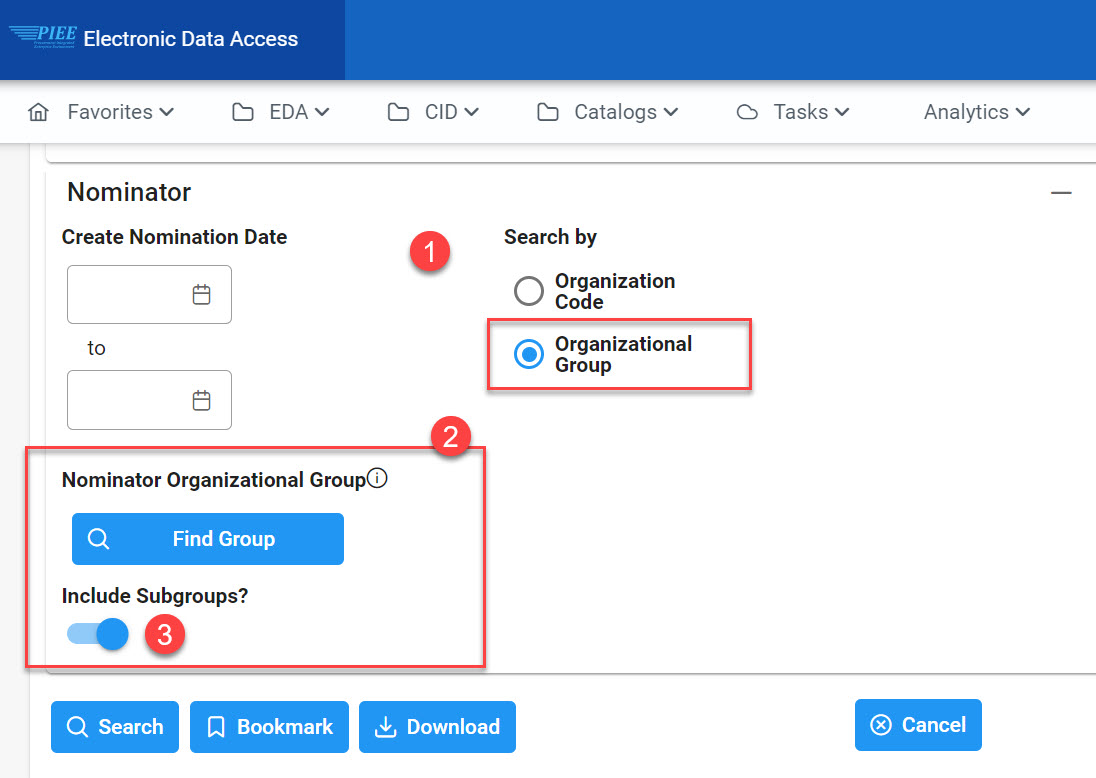
To return results for a specific Organizational Group:
- Select the Organizational Group radial
- Click the Find Group button to search for the Organizational Group.
- (Optional) If the ‘Include Subgroups’ field is checked the results returned will include PIEE Level 3-7 subgroups.
|
| Service/Agency (DoD Component) |
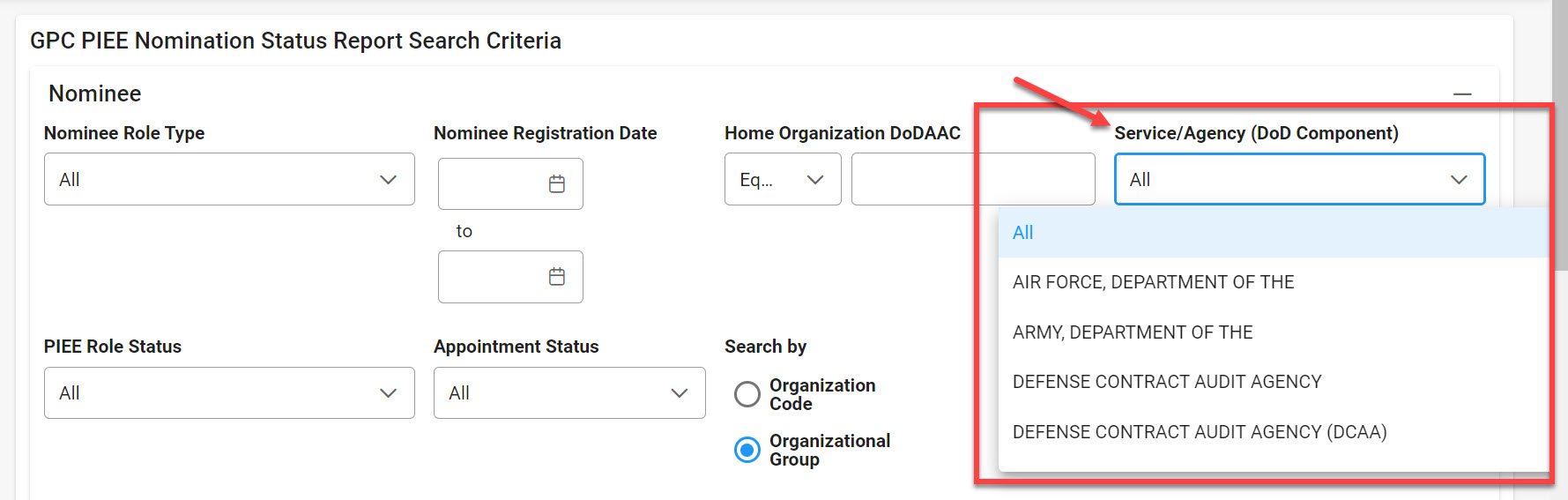
To return results for a specific Service/Agency, select a value from the Service/Agency (DoD Component) dropdown menu.*
|
| Sample Search Results |
Once the search criteria are entered, the system will return a list of results with the requested criteria.
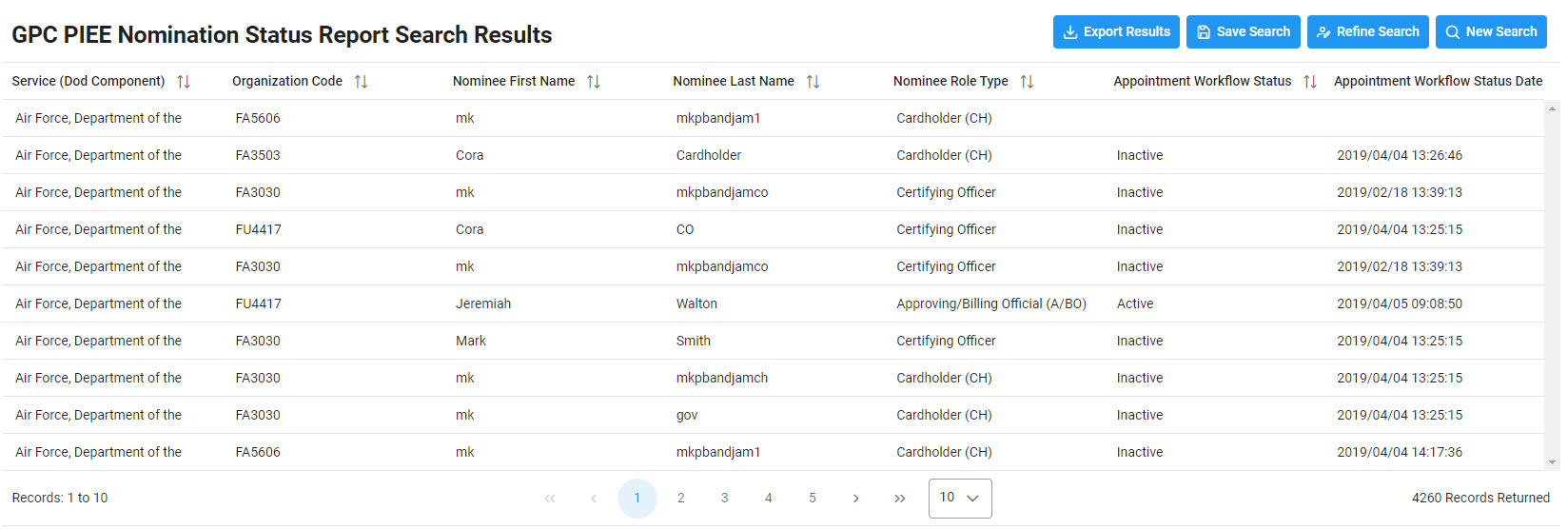
Search Results Columns values:
- Service (DoD Component)
- Organization Code
- Nominee First Name
- Nominee Last Name
- Nominee Role Type
- Appointment Workflow Status
- Appointment Workflow Status Date
|
| Exporting Search Results |
When the search results are returned, the Export Results button will allow the user to export search results in CSV format for import to a spreadsheet.
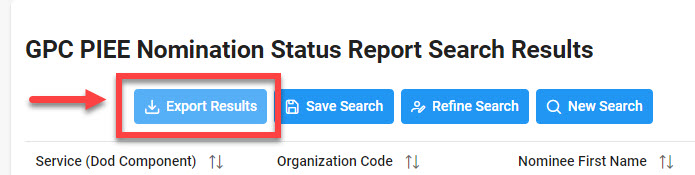
Sample Export:
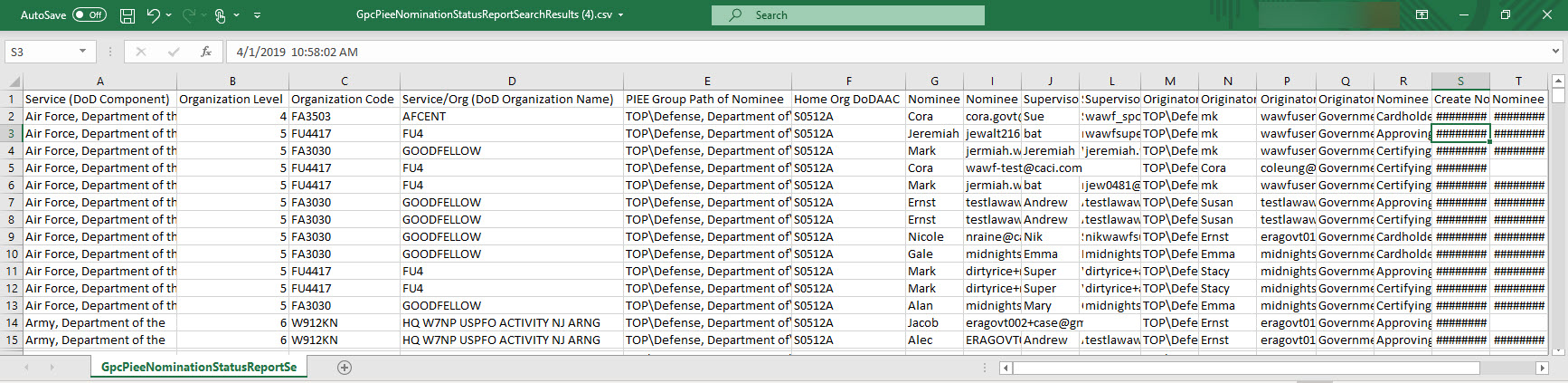
Export Results Columns values:
- Service (DoD Component)
- PIEE Group Path of Nominee
- Nominee Email Address
- Originator Group path of Nominator
- Originator User Type
- PIEE Role Status
- Organization Level
- Home Org DoDAAC
- Supervisor First Name
- Originator First Name
- Nominee Role Type
- Appointment Workflow Status
- Organization Code
- Nominee First Name
- Supervisor Last Name
- Originator Last Name
- Create Nomination Date
- Nominator Location Code
- Service/Org (DoD Organization Name)
- Nominee Last Name
- Supervisor Email Address
- Originator Email Address
- Nominee Registration Date
|
|
| *Additional Guide Information |
The list for Service/Agency (DoD Component) includes:
- Air Force, Department of the
- Defense Contract Management Agency
- Defense Heath Agency (DHA)
- Joint Staff
- Army, Department of the
- Defense Contract Management Agency (DCMA)
- Department of the Airforce
- OSD
- Defense Contract Audit Agency
- Defense Contract Management Agency (DCMA)
- Department of the Army
- Defense Contract Audit Agency (DCAA)
- Defense Finance and Accounting Service (DFAS)
- Department of the Navy
|