|
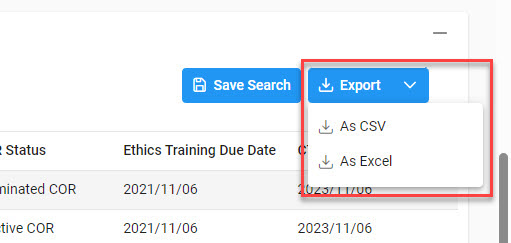
Select the Export button on the search results page to export as CSV or Excel. A job runs to download the file.
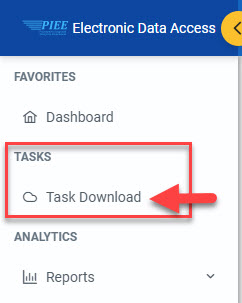
In the navigation panel, navigate to Tasks > Task Download.
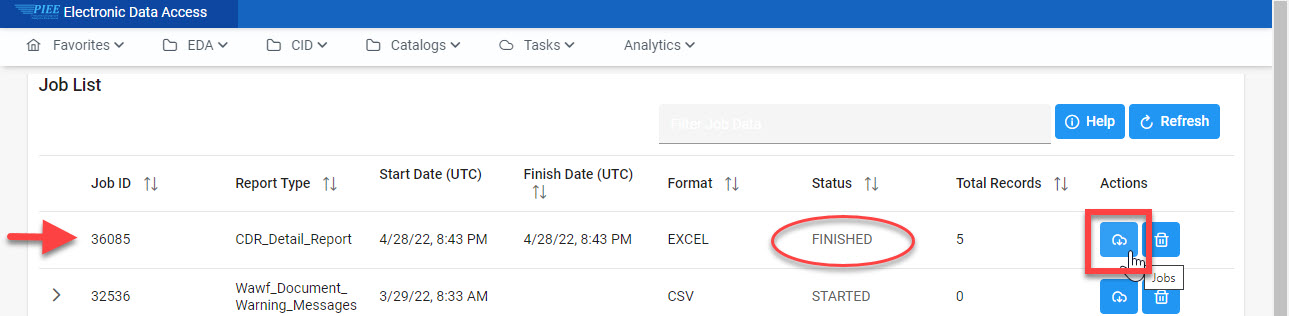
The Job List page appears. Select the Download button in the Actions column.
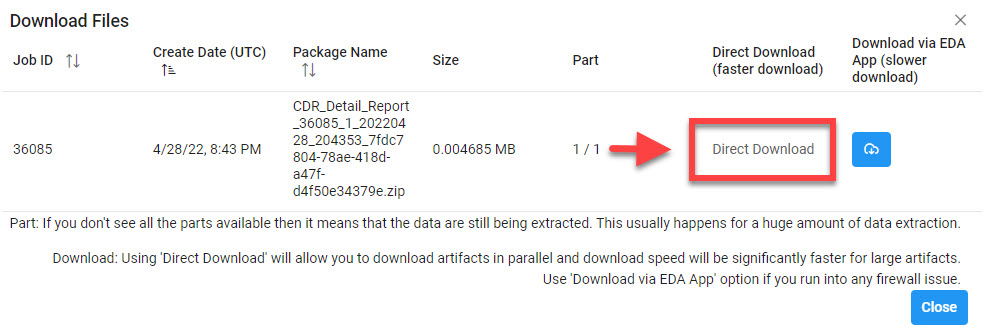
The Download Files modal appears with job details. Select the Direct Download link in the Direct Download column. The file will be downloaded to the local machine based on browser settings.
|